Order PCBA
PCBA order can be directly placed from EasyEDA, under Export (R) > Order PCB/FPC at JLCPCB....
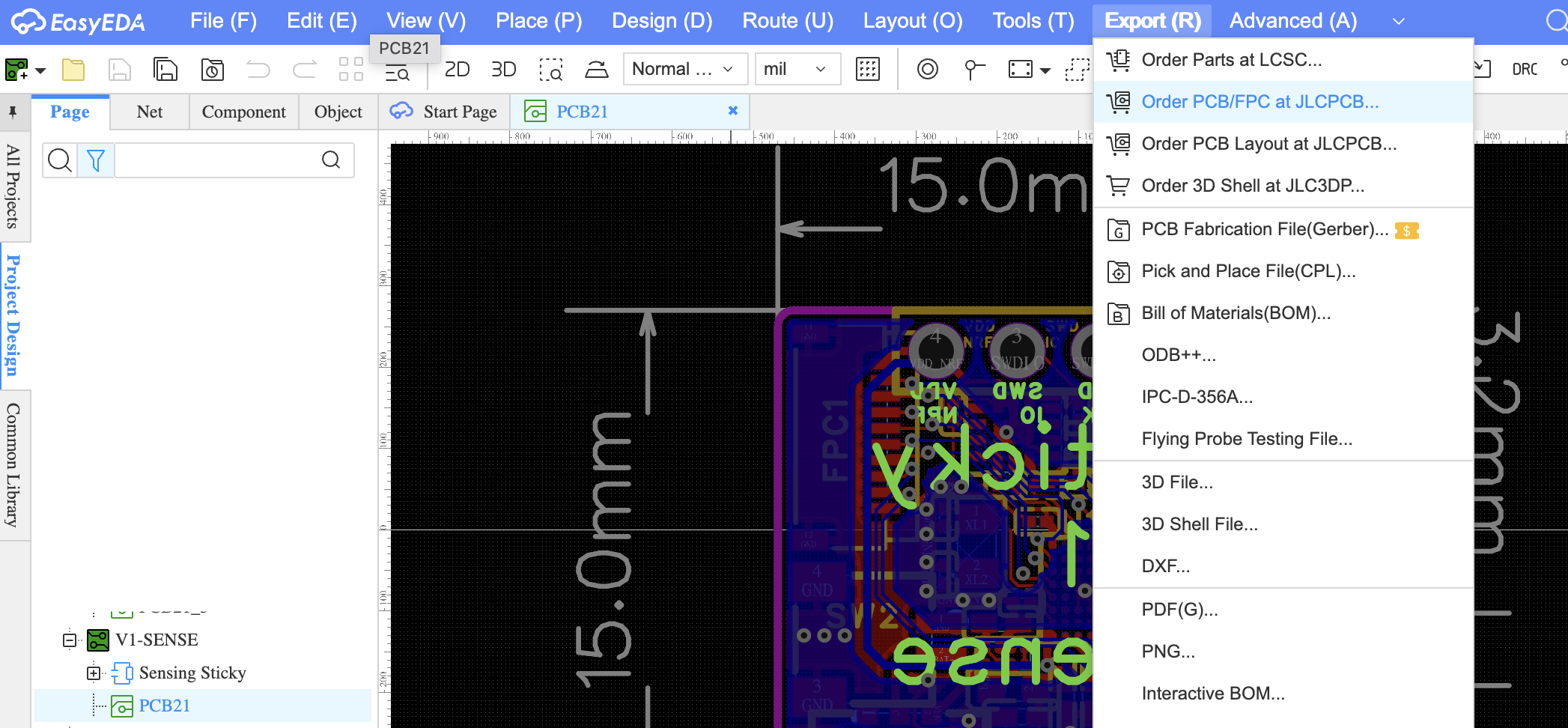
Make sure to select PCBA, not just PCB! The boards need their components assembled, not just fabricated bare. On JLCPCB's site, you'll first choose the PCB specs, then continue on to choose the PCBA specs before checking out.
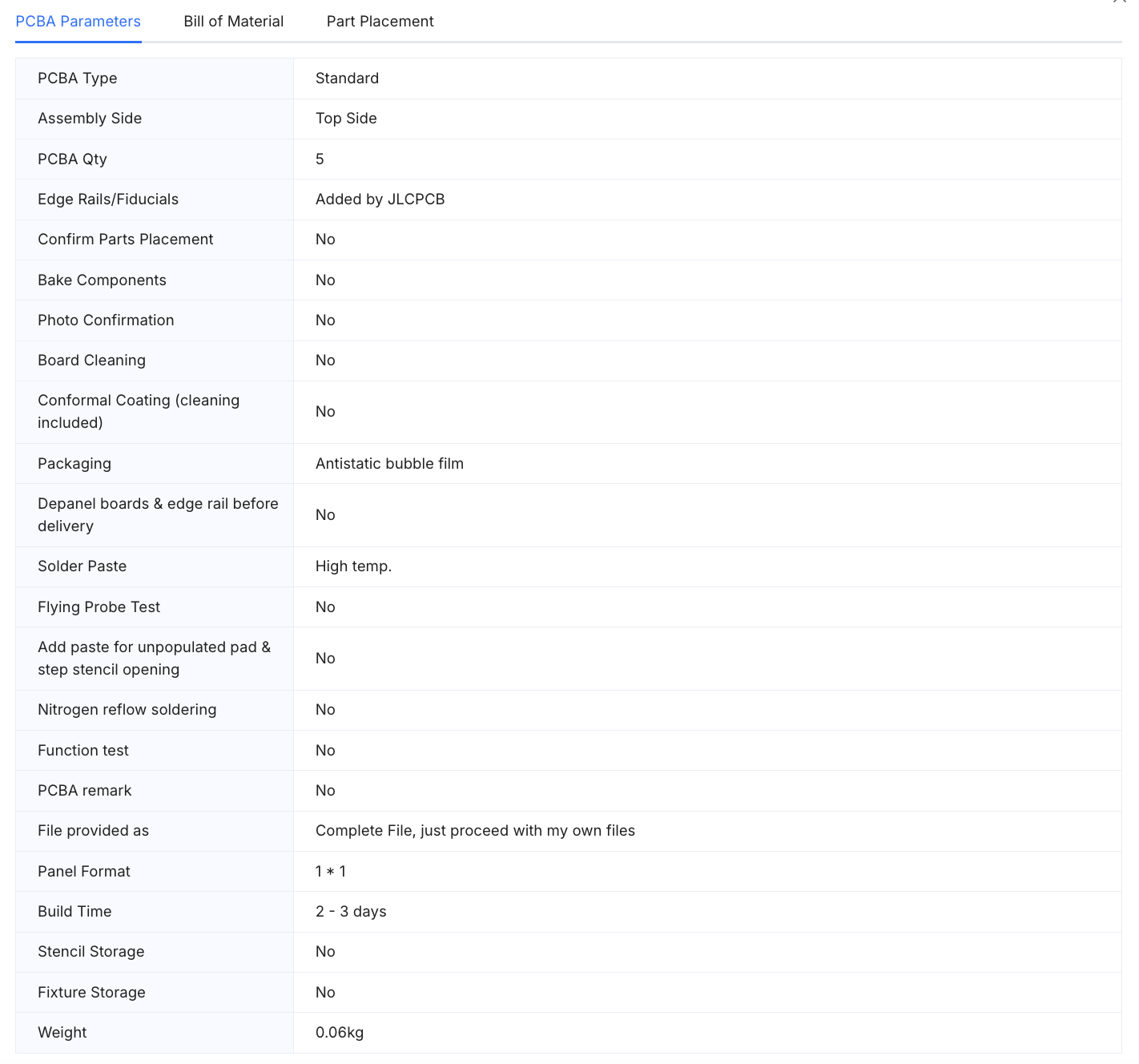
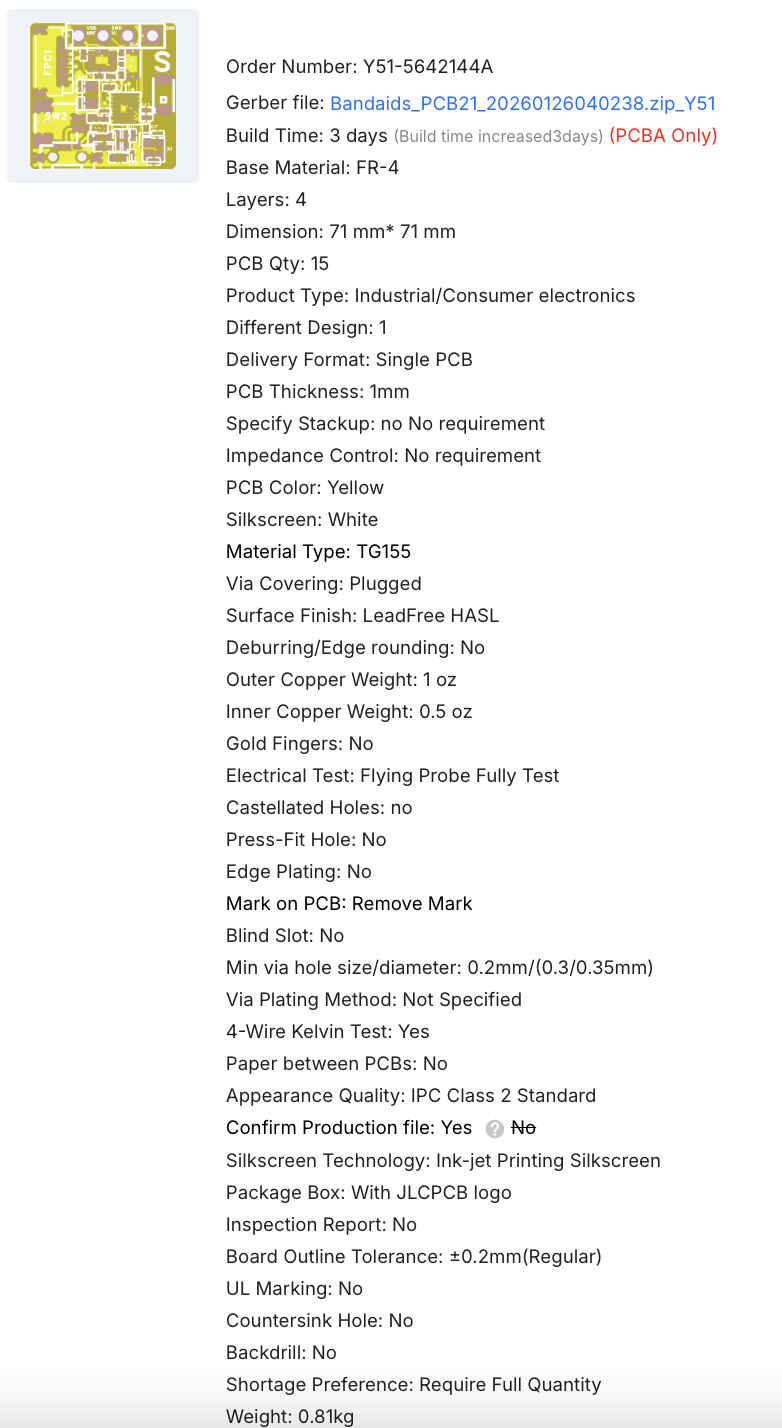
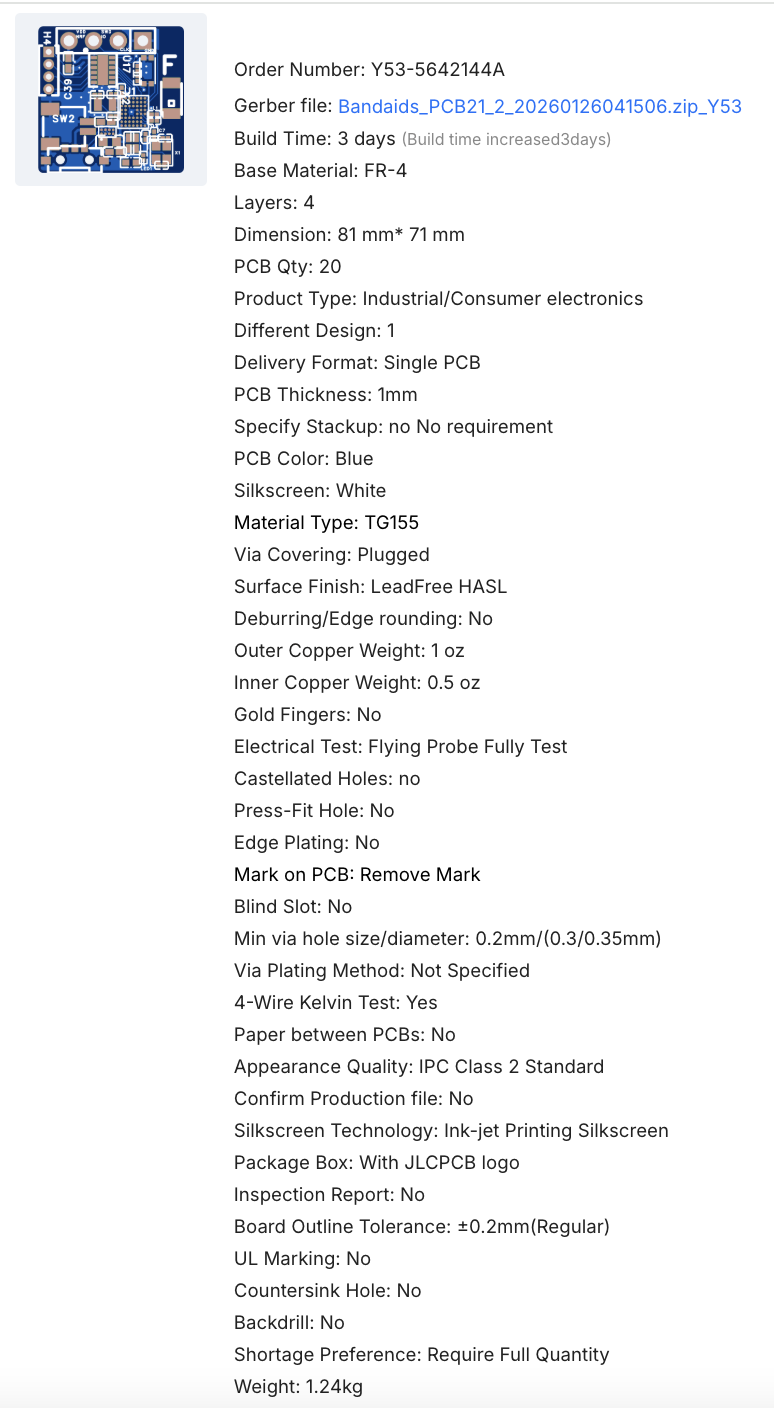
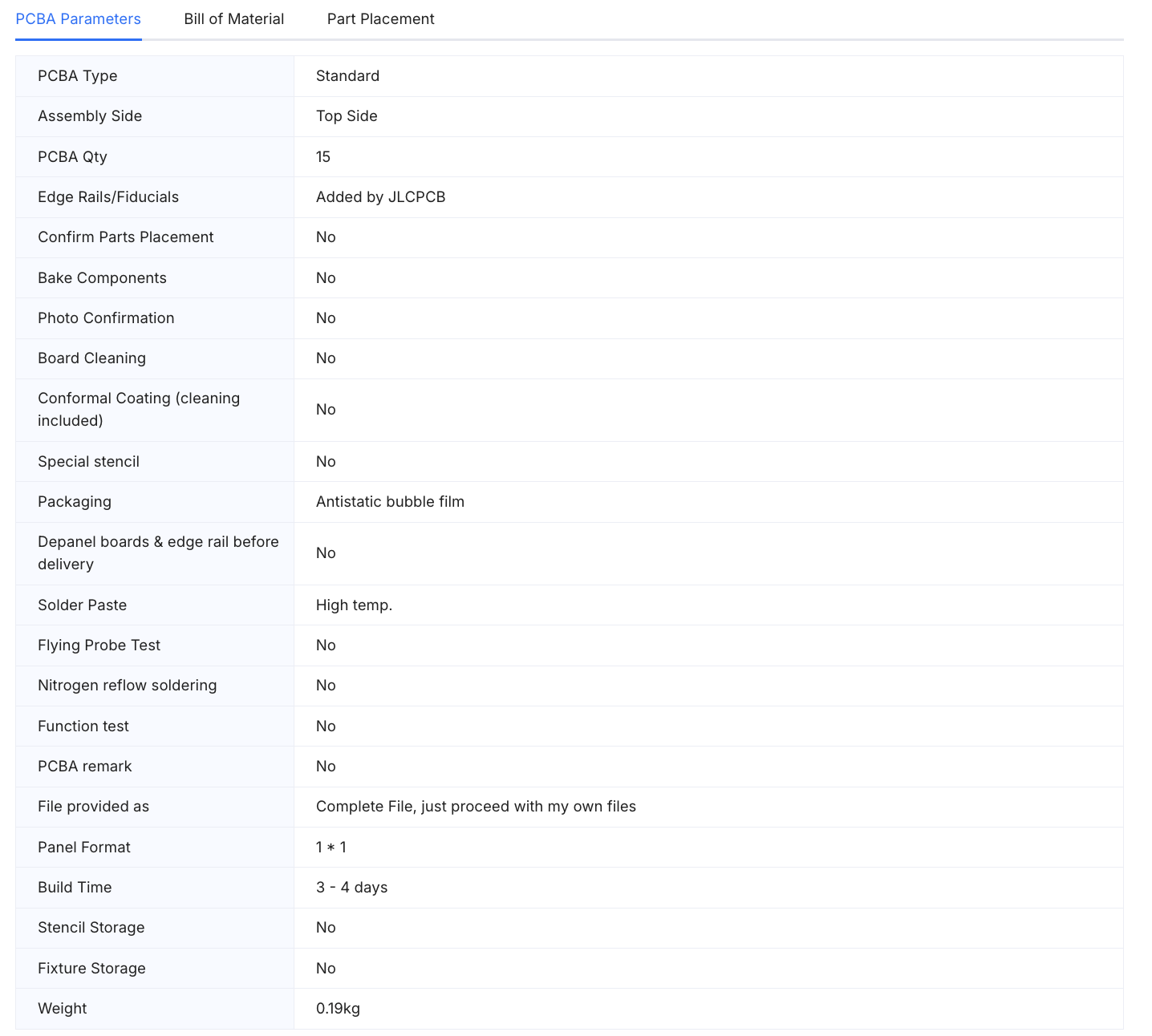
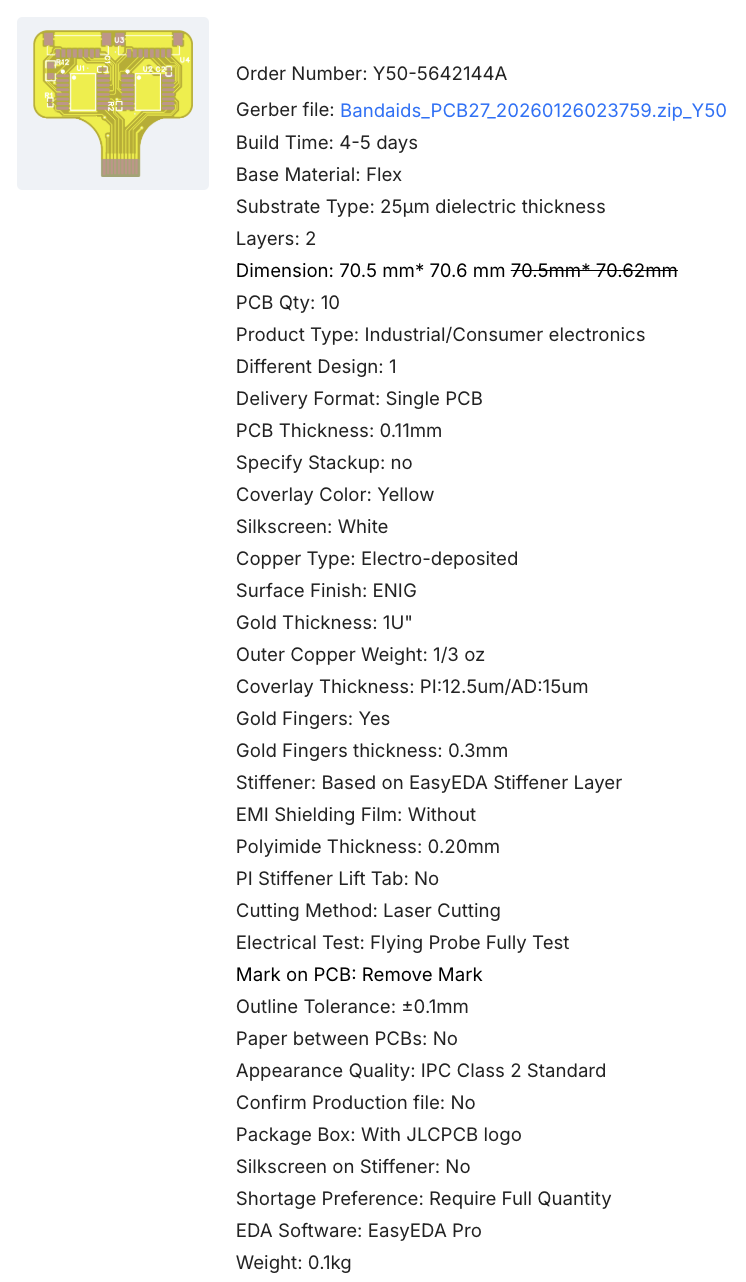
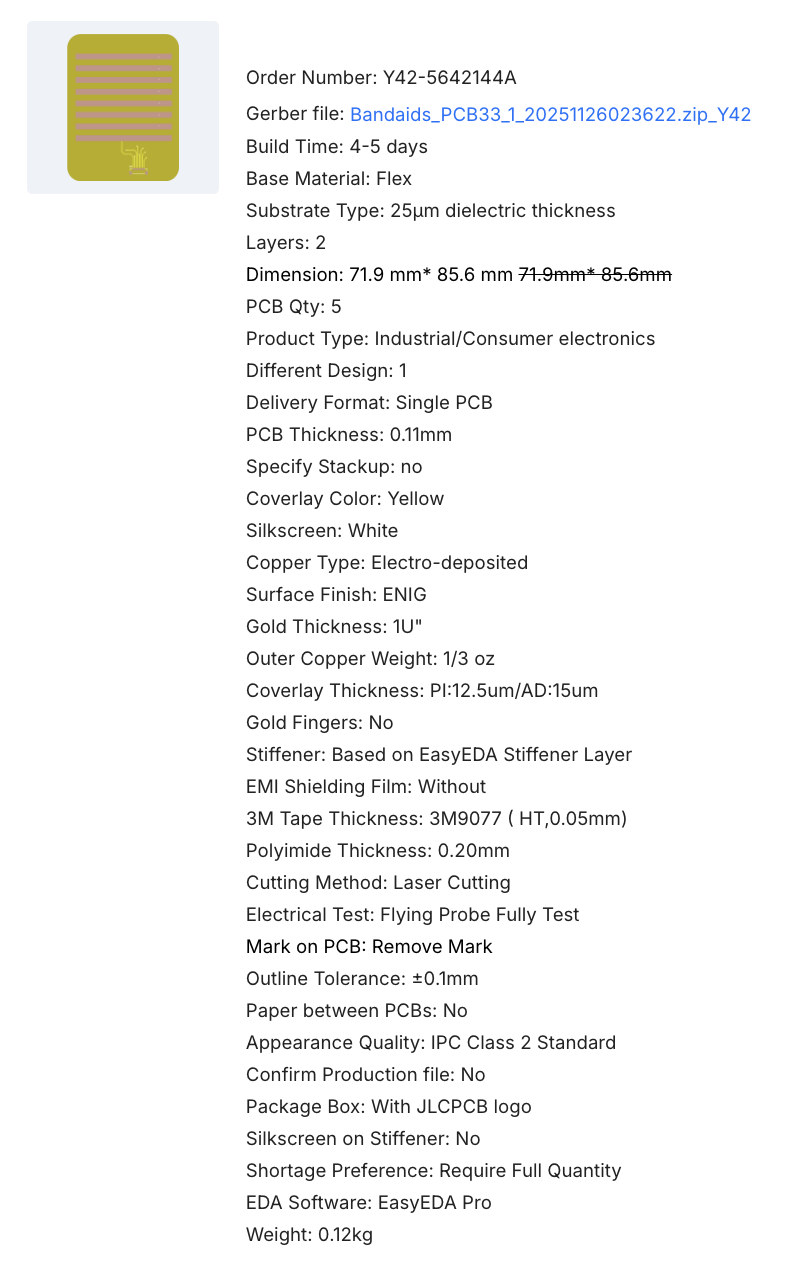
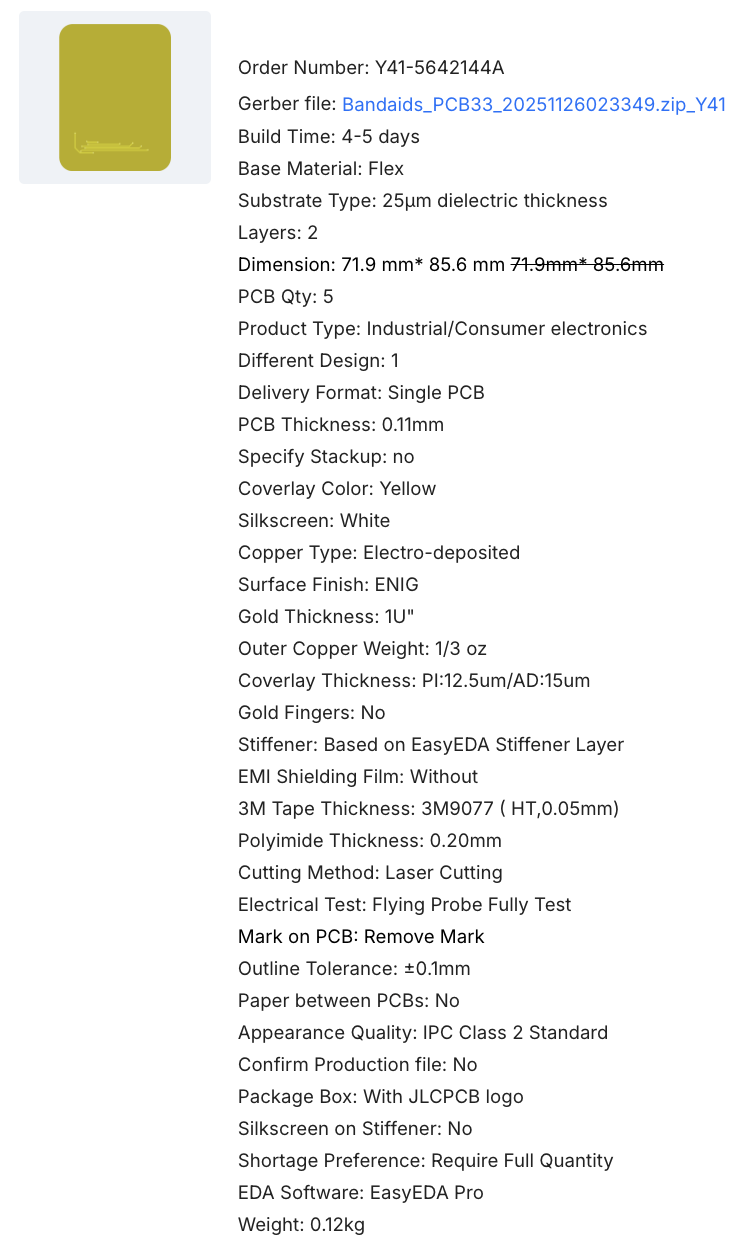
The screenshots below are the exact specs we used on JLCPCB's ordering page for each board: match these when placing your own order.
Sensing & Feedback Stickies
Order the Sensing Sticky and Feedback Sticky PCBs with the specs below.
Both boards use the same PCBA assembly specs:
Tactile Sensing Patch (optional)
The tactile sensing patch is made of three flexible boards. Start with the multiplexer (mux) extension board:
Then order the row patch and column patch. Note that all three tactile boards are FPCBs (flexible PCBs), not rigid PCBs — select the flex board options on JLCPCB accordingly.
All flexible PCBs need assumbly too: